The ProperTime API is currently available to selected organizations only. Want to join? Contact us and we'll make sure it fits your needs.
A personal access token (PAT) is a key that connects external systems and tools to the ProperTime API. A token acts as you and inherits your permissions in the organization, so it can never reach data you don't have access to yourself.
Opening the tokens page
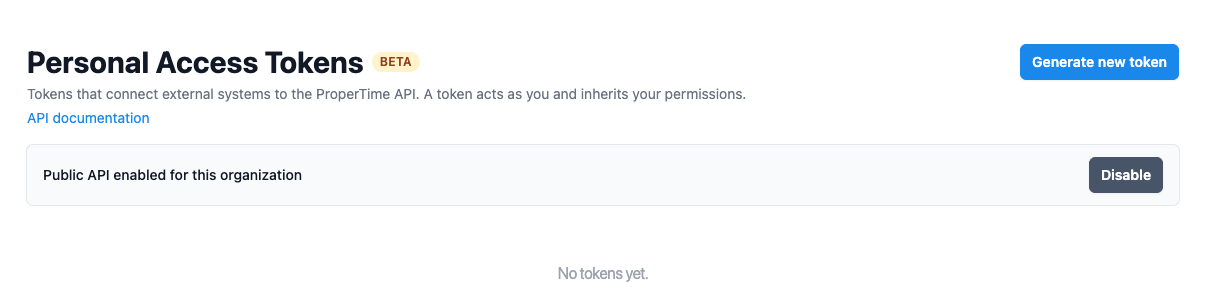
Open My Settings in ProperTime. In the Personal Access Tokens section, click Manage personal access tokens to open the tokens page. Managing tokens is available to organization managers.

Enabling the API
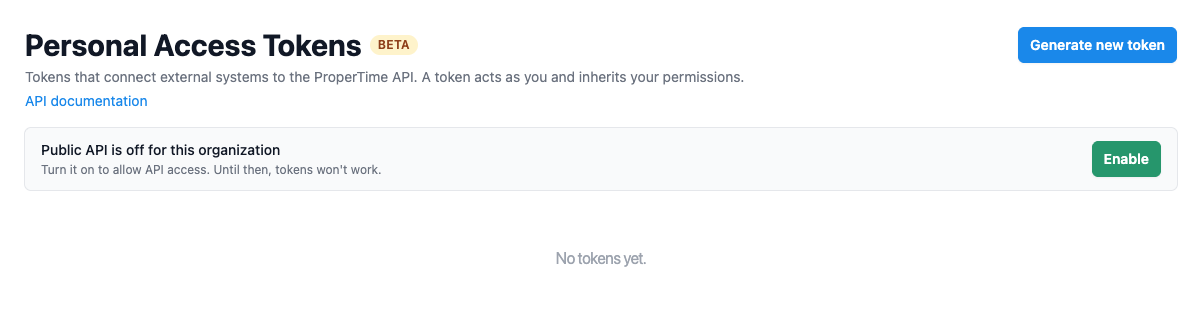
On the tokens page, if the API is not enabled yet you will see "Public API is off for this organization". Click Enable. Until the API is enabled, tokens will not work.
Creating a token
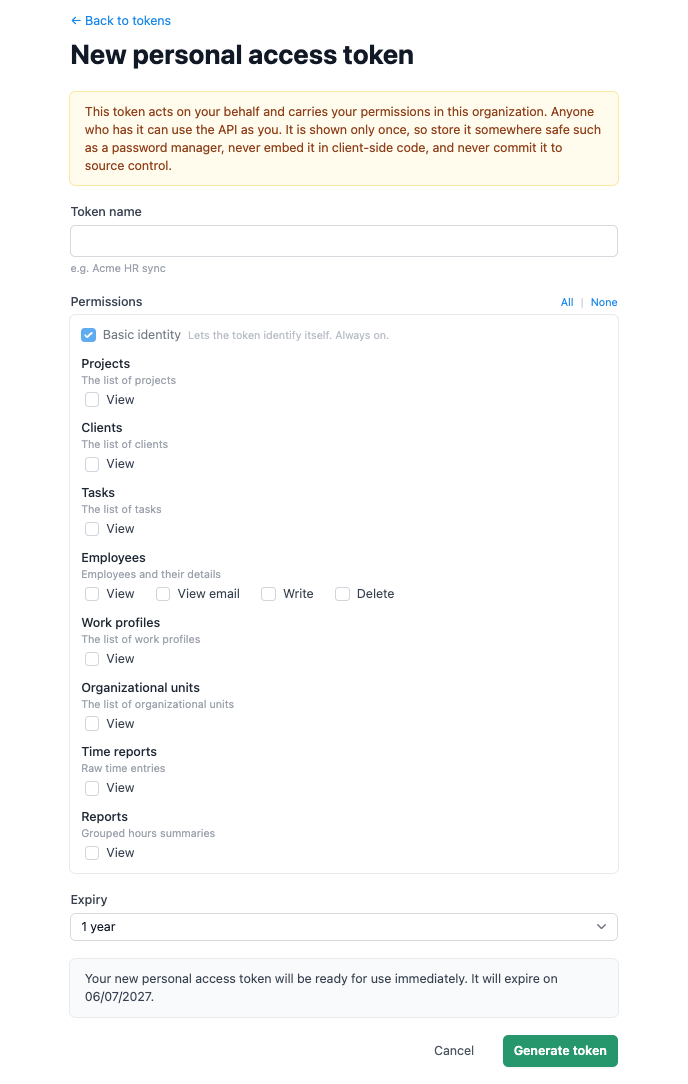
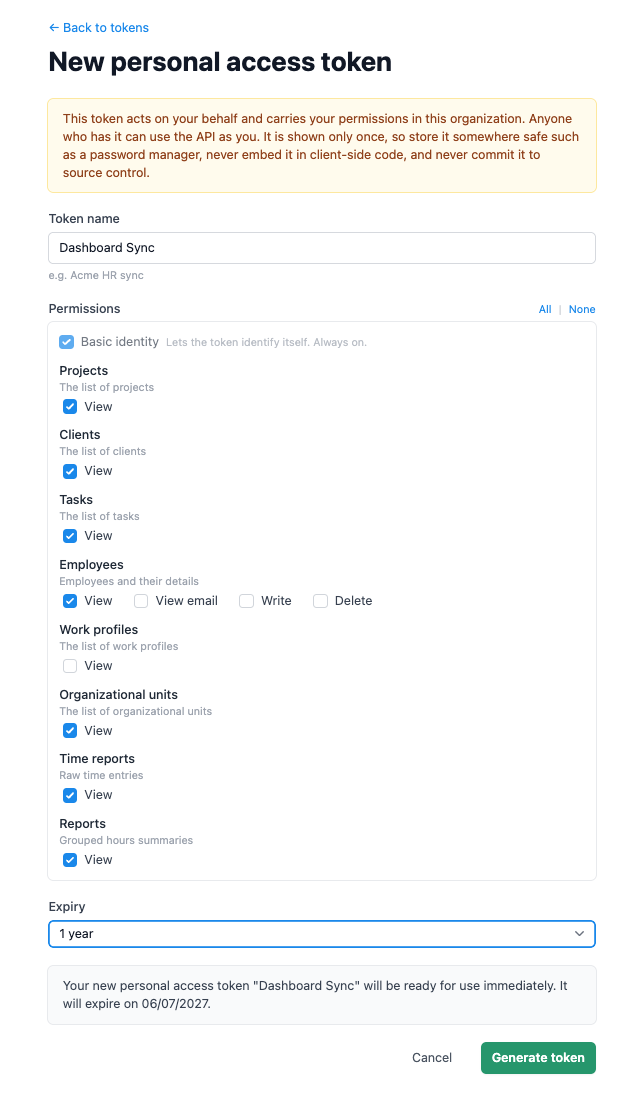
Click Generate new token to open the form, then:
- Give the token a name that describes its purpose, for example the system it connects to, so it is easy to identify later.
- Select the permissions it needs (see Permissions below).
- Choose an expiry. Setting an expiry is recommended; a token with no expiry stays valid until you revoke it manually.
- Click Generate token.
Permissions (scopes)
When you create a token you choose which types of data it can access. Grant only what the integration needs. "Basic identity" is always on and simply lets the token identify itself.
View (read-only) access is available for:
- Projects
- Clients
- Tasks
- Employees and their details (with a separate permission for their email address)
- Work profiles
- Organizational units
- Time reports (raw time entries)
- Reports (grouped hour summaries)
For employees, Write (create and update) and Delete are also available. Creating an employee may consume a license. All other data is read-only.
Keep your token secure
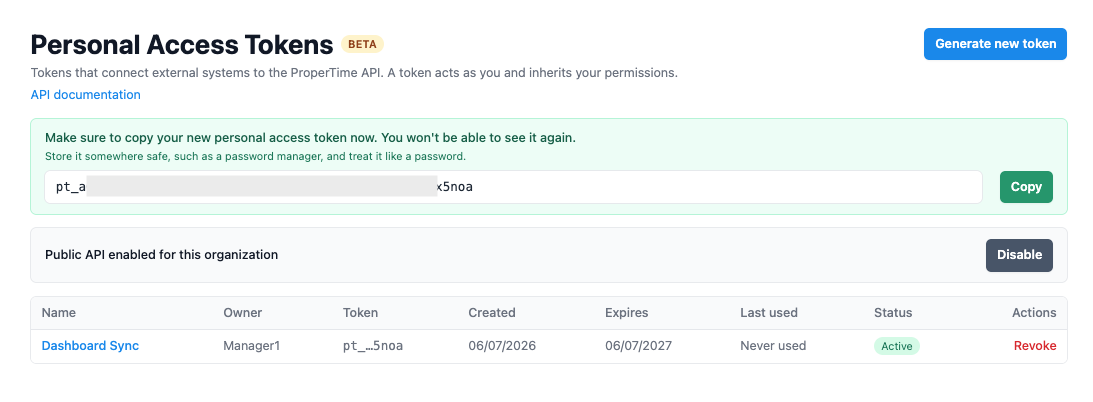
A token is like a password: anyone who has it can use the API as you.
- Share it only with the person or system that genuinely needs it, and grant only the permissions that integration requires.
- Store it somewhere secure, such as a password manager. Never put it in client-side code or commit it to a code repository.
- Prefer setting an expiry, and rotate the token from time to time.
- Use a separate token for each integration, so you can revoke one without affecting the others.
- Check the token's usage from time to time to spot unusual activity.
- If a token is exposed, revoke it immediately and create a new one.
Using the token
Your integration sends the token as a Bearer credential with every request. The base address and the full list of available requests and fields are all in the documentation file, so whoever builds the integration has everything they need in one place.
Documentation file (OpenAPI)
On the tokens page, click the API documentation link to download the documentation file (openapi.json). The download happens from within the app while you are signed in. The file describes every request, field, and example, and can be imported into tools such as Postman or Bruno.
Usage tracking
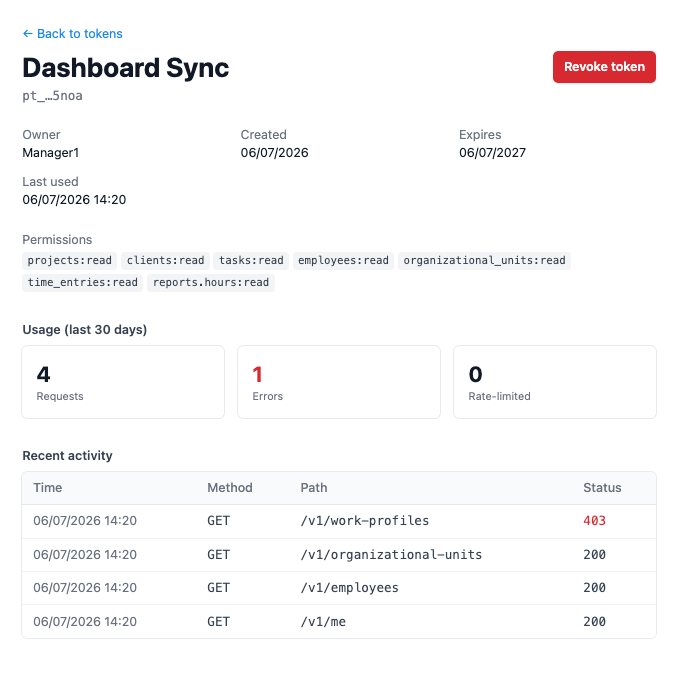
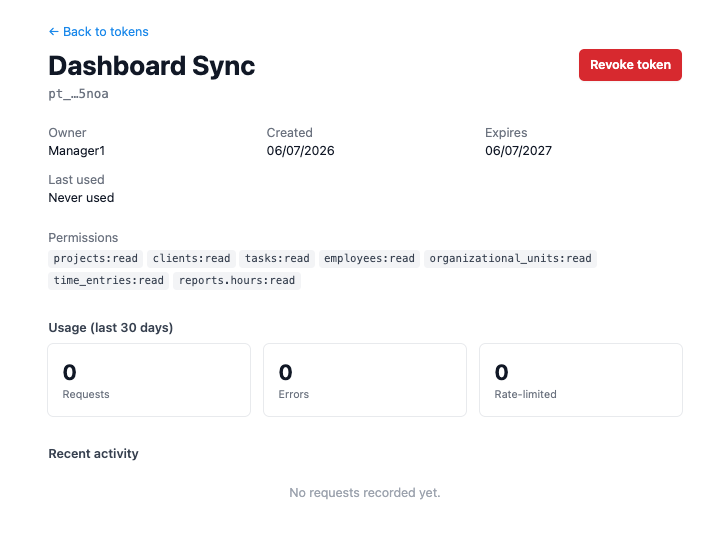
Open any token to see its usage: total requests, errors, and rate-limited requests over the last 30 days, together with a list of recent activity. Use it to confirm the integration is working and to spot unusual activity.
Revoking and expiry
Setting an expiry at creation is recommended to reduce risk; after it, the token stops working automatically. A token with no expiry stays valid until you revoke it manually, so if you choose that option, guard it carefully, watch its usage, and rotate or revoke it over time.
You can revoke a token at any time from its page or the token list; revocation takes effect immediately and blocks any future use. Review the list of active tokens from time to time and revoke any that are no longer in use.
Was this article helpful?
That’s Great!
Thank you for your feedback
Sorry! We couldn't be helpful
Thank you for your feedback
Feedback sent
We appreciate your effort and will try to fix the article